
Analysis
Read the result and its limits.
Analysis shows recorded figures first and qualifies or withholds conclusions when coverage or review readiness is incomplete.
Current app path
Analysis tabCompleted-month Analysis, evidence-gated surplus, debt-cost and recurring-charge guidance, rolling card obligations and supported cash outlooks are available through the external beta.Required
- At least one completed statement month for a completed-month view
Optional
- Six reviewed months for stronger comparisons
- Confirmed assets and liabilities for a fuller position
What can block completion
- Missing required evidence
- Missing coverage
- Transactions awaiting review
- Provisional balances
- Insufficient history
- Local financial data
- Analysis is calculated from the on-device ledger and its evidence.
- Privacy or AI boundary
- Deterministic analysis is local. Chat explanations are a separate optional external-AI boundary.
- If it does not work
- Choose Refresh financial analysis, then open Data confidence or Required for [month] and resolve the source.
01
Choose the month
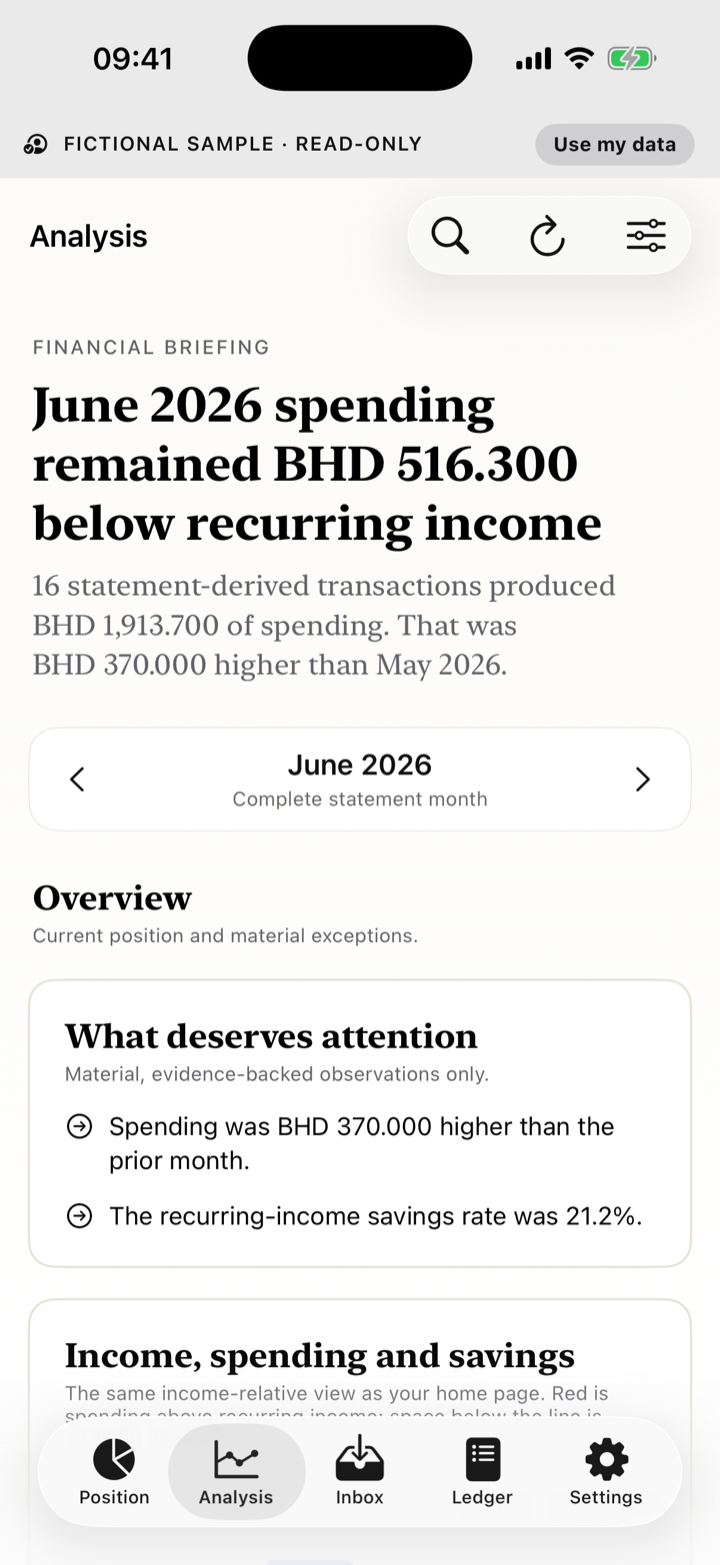
- Open Analysis.
- Use the month selector. The latest finished month with evidence is selected; the current month is In progress.
- Read statement coverage and classification readiness separately.
02
Read Home first
- Priority action: the highest-consequence unresolved item from the existing Inbox ranking.
- What changed: one largest recorded comparable-period movement when complete evidence supports it.
- Upcoming payments: supported card, loan and confirmed recurring obligations in the next 30 days; Position does not invent a payday.
03
Read the cards
- Overview: spending, income and savings context.
- Guidance: surplus, debt cost and recurring charges only when each card's required evidence is complete.
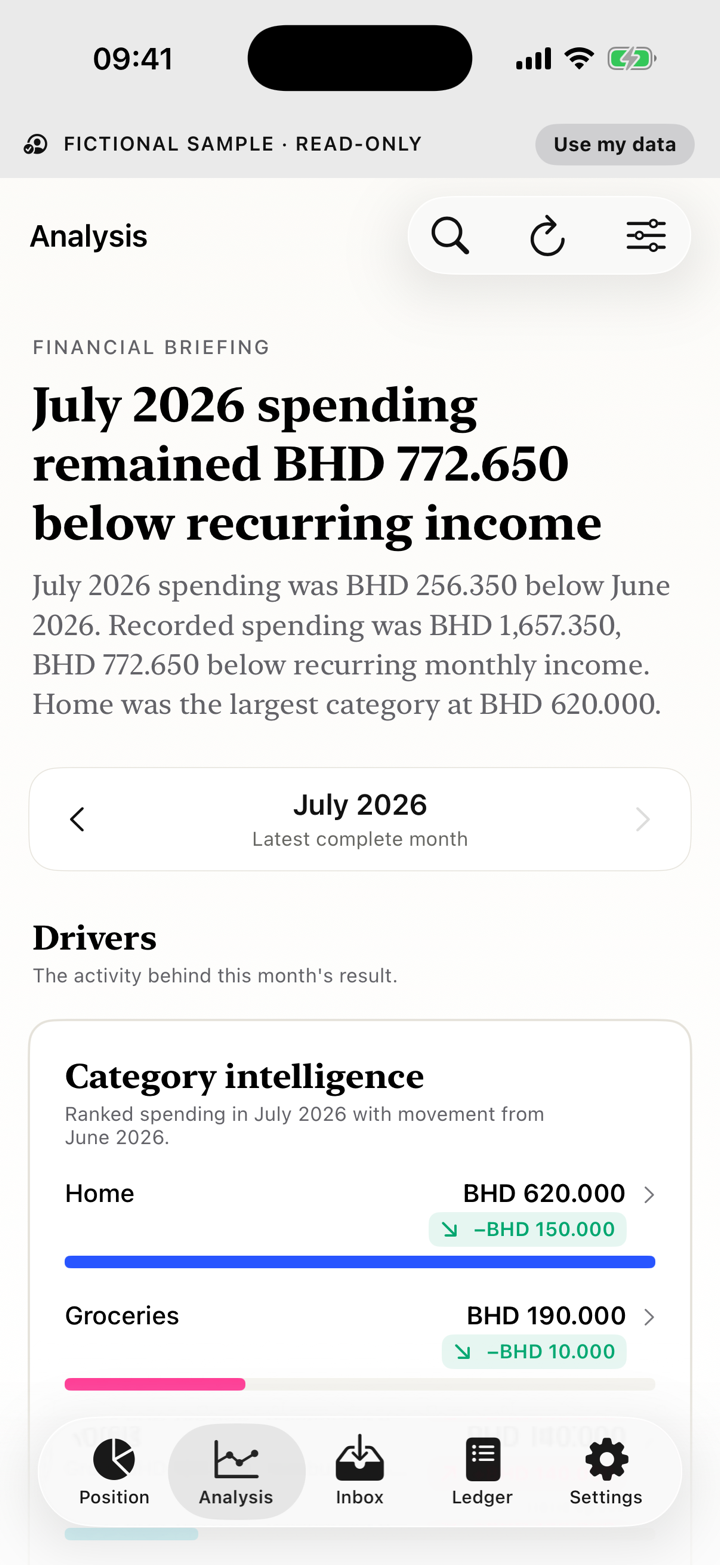
- Drivers: category and merchant movement, recurring activity and spending pace when mature.
- Merchant intelligence: reviewed net merchant spending, exact merchant identities, meaningful changes, confirmed recurring streams and items that need review.
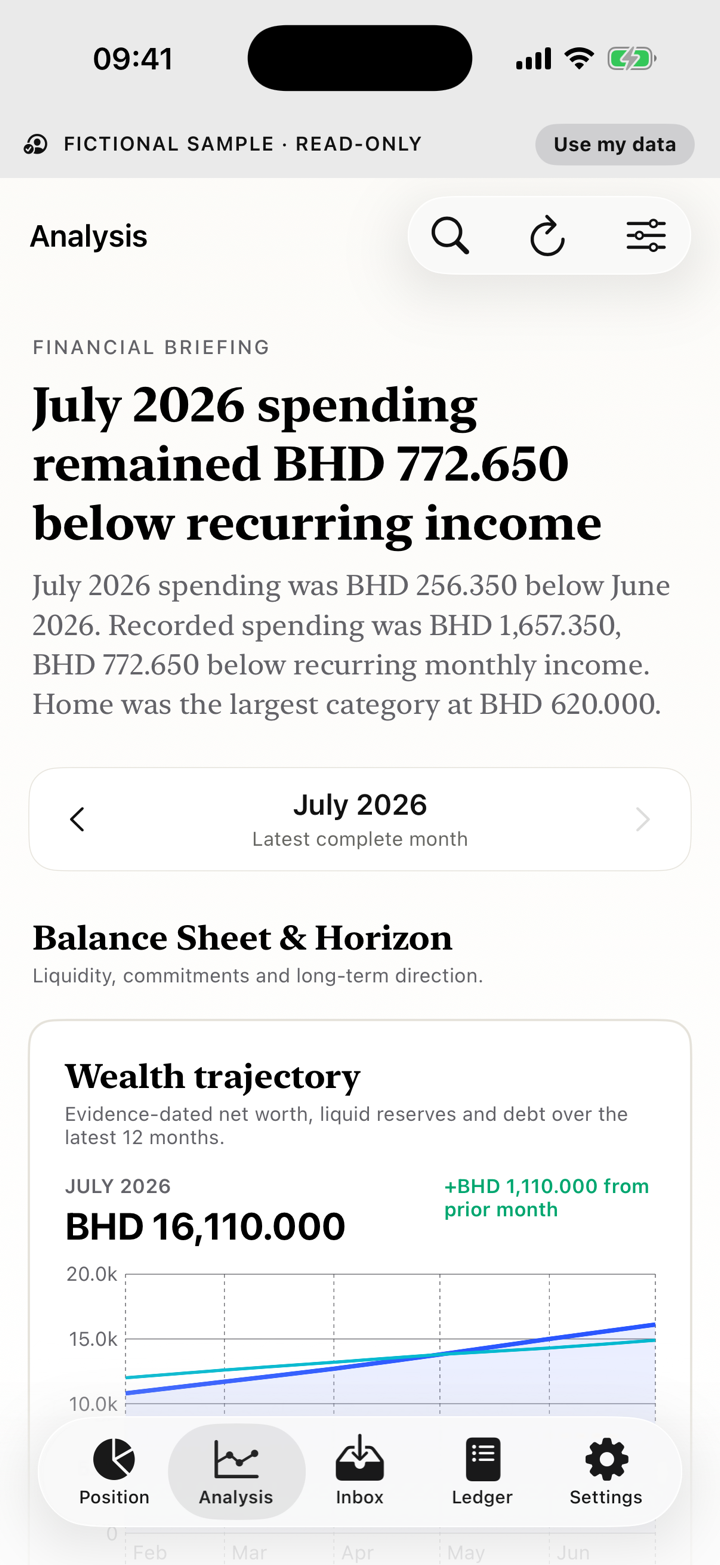
- Balance Sheet & Horizon: confirmed position and supported historical movement.
- Outlook: 30-, 60- and 90-day scenarios with assumptions—not guarantees.
- Evidence: Data confidence, statement timing and reconciliation.
04
Review card and loan obligations
- Open the obligation shown in Analysis and inspect its current evidence.
- For a card, use current-cycle evidence; older card-cycle activity does not settle a rolling obligation.
- For an eligible loan payment, use Position's confirmation workflow; an unconfirmed payment cannot satisfy the obligation.
- Leave the obligation unresolved when evidence is missing; an explicit zero is different from no evidence.
05
Open detail and evidence
- Open only cards with a disclosure affordance; static cards remain summaries.
- Read the selected period, calculation, source state and exclusions.
- Use View transactions or View evidence only where the route exactly reproduces the displayed figure.
- Exact Category and Merchant transaction rows open the same audited editor used from Ledger. Explain in Chat only prepares bounded context; it does not send, use a credit or change records until you explicitly send.
06
Fictional example
The approved frame uses fictional sample data and demonstrates a completed month. It does not imply live bank connectivity.