
Statements and Inbox
Import a statement and follow its evidence.
Every selected file enters an encrypted on-device Inbox. Certified deterministic parsing runs before optional AI.
Current app path
Inbox → Add documentsFiles, Photos, camera scan, Share extension, batch import and locked-PDF recovery are available in the external beta.Required
- A readable document
- The PDF password when the document is locked
Optional
- An account hint
- Several files in one batch
- Consent to AI for an unfamiliar layout
What can block completion
- Unreadable pages
- A missing PDF password
- Ambiguous identity
- Managed AI unavailable when an unfamiliar layout needs it
- Local financial data
- The original is encrypted locally and processing stages remain visible in Inbox. Rows commit atomically only after validation.
- Privacy or AI boundary
- Certified parsing uses no external AI. An unfamiliar document may cross the disclosed managed-AI or BYOK boundary.
- If it does not work
- Use Retry analysis, Unlock PDF, Reconnect AI, Confirm account or Inspect evidence when shown. Remove document deletes the retained original only after confirmation.
01
Choose the source
- Open Inbox and choose Add documents.
- Select Choose files, Choose photos or Scan a document. From another app, use Share and select Position.
- For a batch, select the documents together. Each file succeeds or fails independently.
02
Follow the Inbox state
- Ready to analyse means no ledger import has occurred; choose Analyse now to continue through the disclosed processing route.
- Waiting for analysis means the document is queued.
- Unlock PDF requests the password locally.
- Confirm account appears when identity needs your decision.
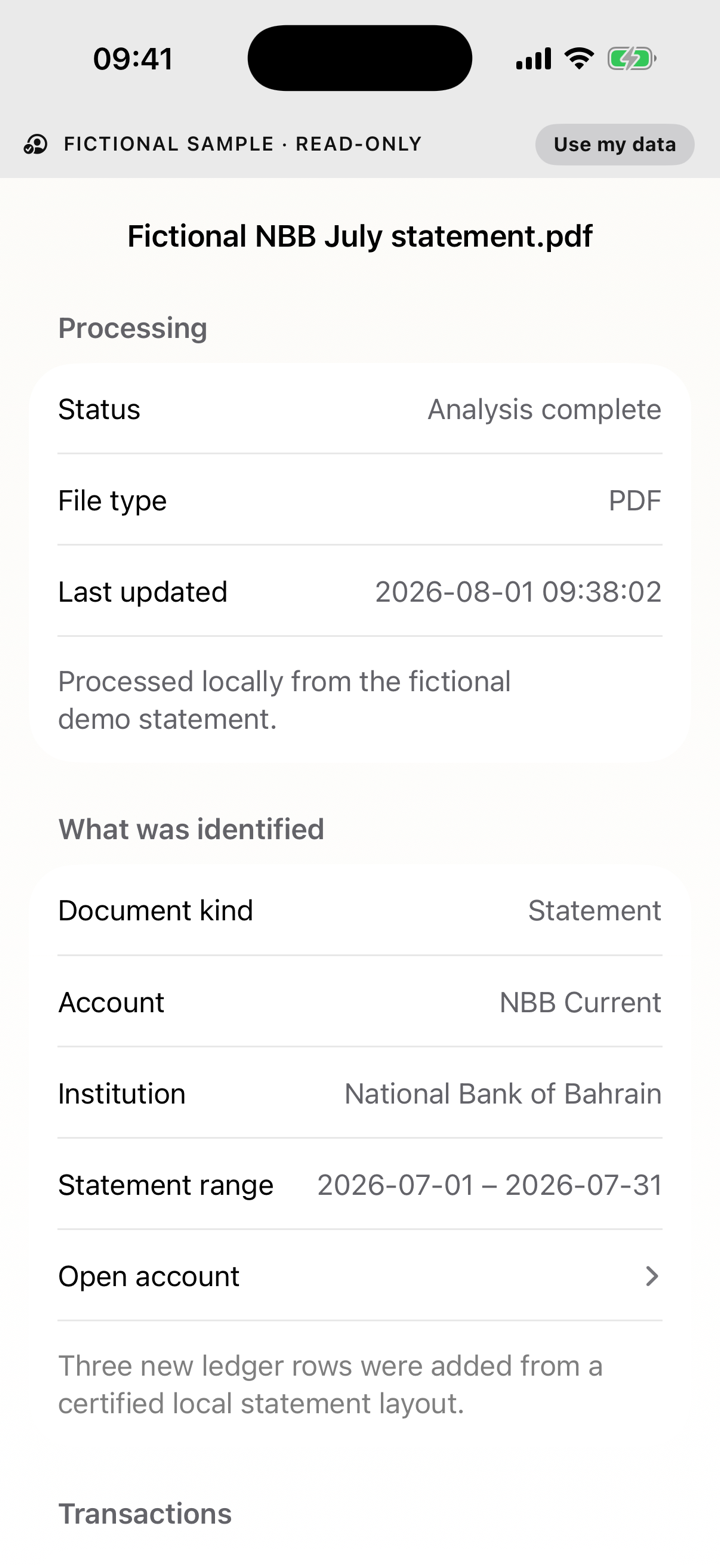
- Inspect evidence opens source and processing details.
- Retry analysis reruns a failure while the original remains retained.
03
Duplicates and overlapping statements
Exact duplicate rows are skipped rather than counted twice. Overlapping statements are compared by evidence and can require review when activity cannot be resolved safely.
Do not rename a file to force a match: Position identifies content rather than trusting the filename.
04
Statement support and donation
Certification applies only to exact layouts physically proven on iPhone. AI-assisted success does not certify a layout.
Check proven layouts