
Getting started
Begin with evidence you already have.
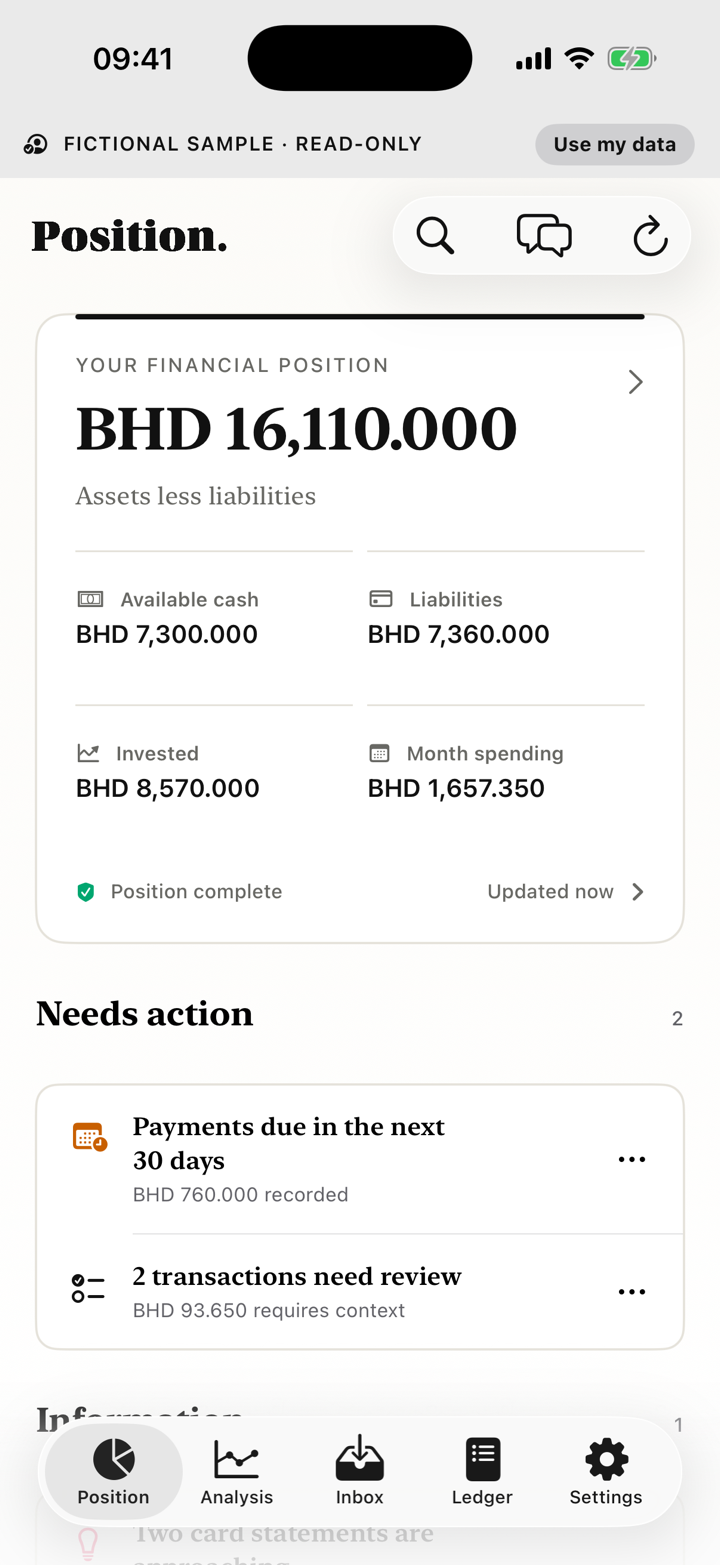
Position can open with clearly labelled fictional data, an empty local ledger or one statement. It does not ask for bank credentials.
Current app path
Position → Add statements, or Inbox → Add documentsAvailable through the external TestFlight beta.Required
- An iPhone running iOS 18 or later
- A readable bank, card or finance document if you want to import
Optional
- More months of history
- Managed AI access or your own OpenAI key for unfamiliar documents
What can block completion
- A locked PDF without its password
- An account identity that cannot be confirmed
- An unfamiliar document when no AI route is available
- Local financial data
- The working ledger and imported evidence are stored on this iPhone.
- Privacy or AI boundary
- Certified layouts parse locally. An unfamiliar document may use external AI only after disclosure.
- If it does not work
- Open Inbox, select the item and use the recovery action shown. A failed analysis does not silently commit rows.
01
Choose a starting point
- Complete onboarding, choose Explore fictional data for an isolated read-only sample, or enter an empty ledger.
- Keep managed access selected for the TestFlight sandbox, or configure your own OpenAI key.
- Choose Build my position and select a source when you are ready to import personal information.
02
Use the fictional sample
The sample is clearly labelled, isolated from the real ledger and does not affect reports, backups or imports. Leave it from the sample controls when you want to return to your own position.
03
Import the first statement
- Choose Add statements from Position, or open Inbox and choose Add documents.
- Choose Choose files, Choose photos or Scan a document. You can also share a document to Position from another app.
- Wait for Inbox to show the result. Use the action shown if a password or identity is needed.
04
Check the result
- Confirm institution, account type, masked identity and currency.
- Check statement period, debit and credit direction, and opening and closing balances.
- Open any needs-review classification before relying on Analysis.
- One statement is enough to begin; six months improves comparisons but is not required.
05