
Chat & AI
Ask a question without hiding the boundary.
Chat answers from a compact, question-relevant snapshot and should show evidence before you rely on its answer.
Current app path
Position → Open financial chat; Settings → AI & UsageChat, modes, encrypted retryable photo intake, sandbox managed access and BYOK are available through the external beta.Required
- A connected managed sandbox or your own OpenAI key
Optional
- Photos or files
- Permission to use provisional evidence
- AI + web for current external information
What can block completion
- Managed AI outage
- No sandbox allowance
- Disconnected BYOK key
- Unreadable attachment
- Local financial data
- Conversation metadata and chat-only attachments are local; chat-only files use limited retention unless retained or imported.
- Privacy or AI boundary
- Private AI still uses external AI but no web research. AI + web can use web sources. Managed access uses Position’s gateway; BYOK goes directly to OpenAI.
- If it does not work
- AI work remains queued when unavailable. Reconnect in AI & Usage, use a valid BYOK key or retry later. Local features continue.
01
Ask and inspect
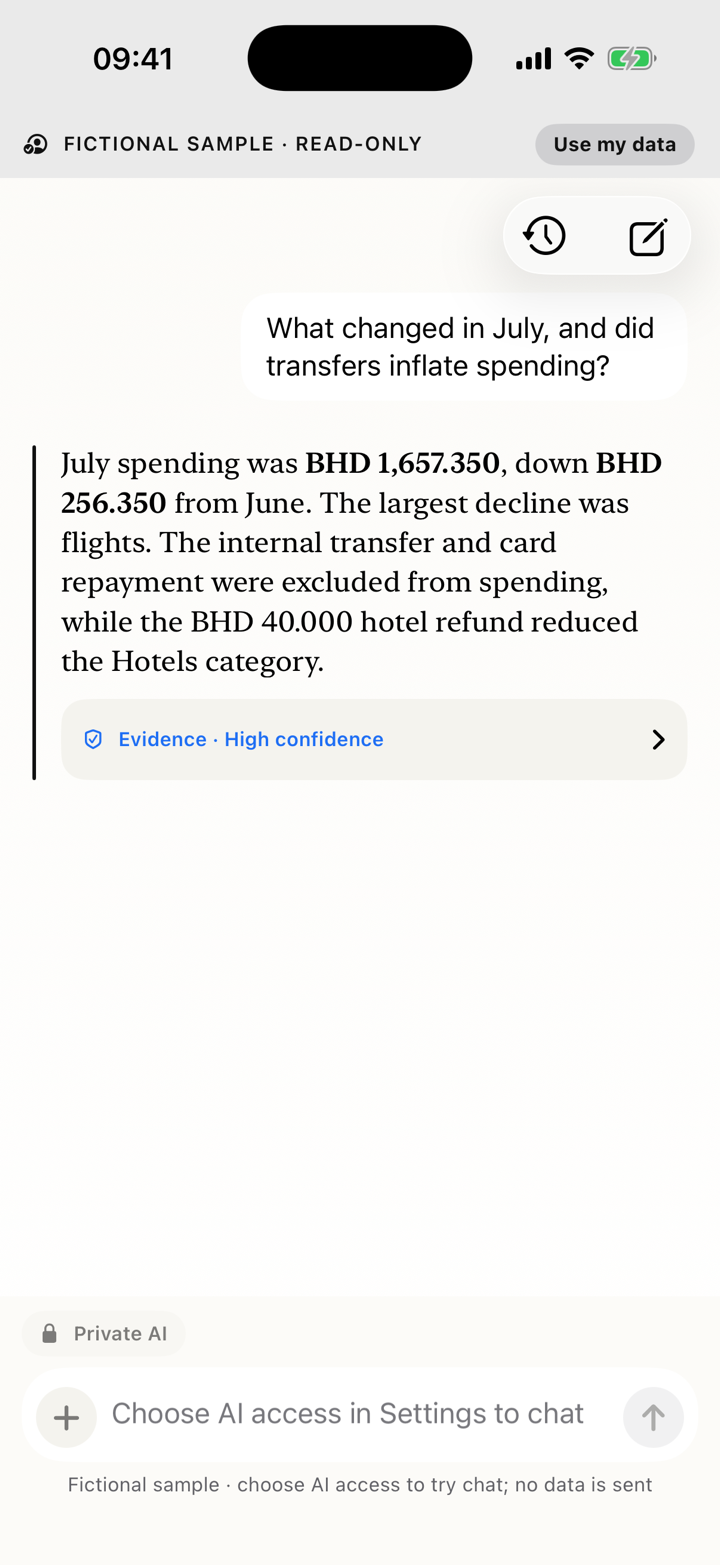
- From Position, choose Open financial chat.
- Choose New conversation or Conversation history.
- Select Private AI or AI + web.
- Ask, then read the answer's separated headings, paragraphs and lists alongside assumptions and cited records.
02
Attach a file or photo
- Choose Add a photo or file.
- Select Photos or Files through the same intake used by Inbox and asset drafts.
- A technically valid photo enters a removable encrypted chat-only preview; Position does not ask you to classify an unseen image first.
- Use the preview menu to keep it in Chat, import it to Inbox, associate it with the current asset draft when available, or remove it.
- Send only after the disclosure matches the mode. Sending performs one bounded attachment request; it does not automatically import, create an asset or write the ledger.
- If sending or processing stops, retry; the selected attachment should remain available.
03
Managed access, BYOK and credits
- TestFlight managed access uses a bounded beta allowance and cannot collect real money.
- Certified local parsing and local features use no managed credits.
- BYOK uses a Keychain-stored OpenAI key and bypasses Position credits.
- There is no automatic overage or purchase.
04
What Chat cannot do
Chat cannot execute payments, transfers, borrowing or investments. Proposed record changes require the ordinary editor and your confirmation.