
Position for iPhone
Position Help
Learn the main workflows, understand what Position is showing, and fix common problems in the external TestFlight beta.
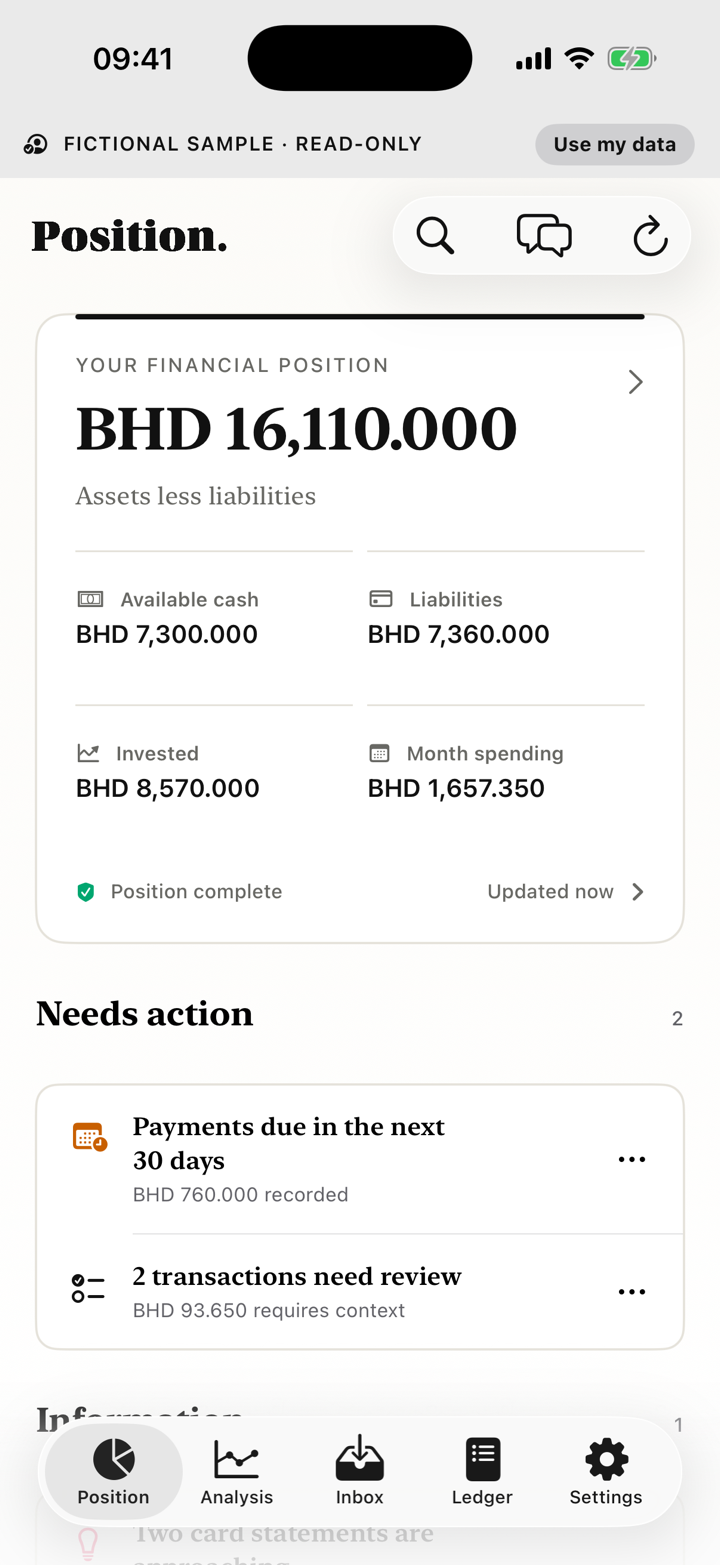
Position turns selected bank, card and finance documents into a local ledger and an evidence-aware view of cash, debt, investments, assets and net worth. It does not connect to your bank.
Start
Start here
Getting started
Explore clearly labelled fictional data, choose an empty ledger or begin with one statement.
Import your first statement
Use Files, Photos, a camera scan or the iPhone Share sheet.
Understand your financial position
Read confirmed balances, liabilities, assets and the evidence behind them.
Review categories
Open the always-visible category workflow for merchant groups, empty states and individual transaction edits.
Tasks
Common tasks
Statements and Inbox
Import, unlock, retry, deduplicate and inspect statement evidence.
Accounts and Ledger
Confirm identity, search transactions, filter records and export a view.
Analysis
Read completed months, evidence-gated guidance, obligations, confidence and qualified scenarios.
Assets
Add an asset, use shared photo intake and preserve reviewed answers when correcting a draft.
Chat and AI
Ask about your records, inspect evidence and choose the external-AI boundary.
Backup, export and privacy
Create a portable backup, export the ledger or delete data deliberately.
Recovery
Fix a problem
Each recovery path explains what happened, whether data was saved, whether the original remains retained and what to do next.
Statement import failed
Retry analysis, unlock a PDF, reconnect AI or inspect the retained evidence.
Coverage or reconciliation is incomplete
Find a missing month, inspect arithmetic and avoid filling gaps silently.
A transaction needs review
Check the source row, meaning, category and effect on analysis.
Managed AI or credits are unavailable
Understand what stays queued and which local features continue.
A record will not save
Find the required field or invalid combination without losing the existing record.
A photo or document will not attach
Use the system photo picker, retry from the originating flow and confirm the selected attachment remains available.
Boundary
About Position
Local financial authority
The working database, ledger and encrypted originals live on your iPhone. Position does not host a financial database, ask for bank credentials or execute transactions.
Understand data and privacy →Certified local parsing; optional external AI
Exact certified layouts parse locally. Unfamiliar documents and Chat may use managed AI or your own OpenAI key after disclosure.
Check statement support →External beta
Position is available through an external, Bahrain-focused iPhone TestFlight beta. Public App Store release and real-money TestFlight purchases are not available.
Open Position in TestFlight (opens in a new tab)Read beta status →